Overview
An interactive pipe-flow simulator that applies core fluid mechanics equations to compute Reynolds number, flow regime, Darcy friction factor, pressure drop (major + minor losses), head loss, and pump power. Includes an interactive Moody chart with the operating point and a velocity profile plot that changes shape between laminar and turbulent flow.
The Dashboard
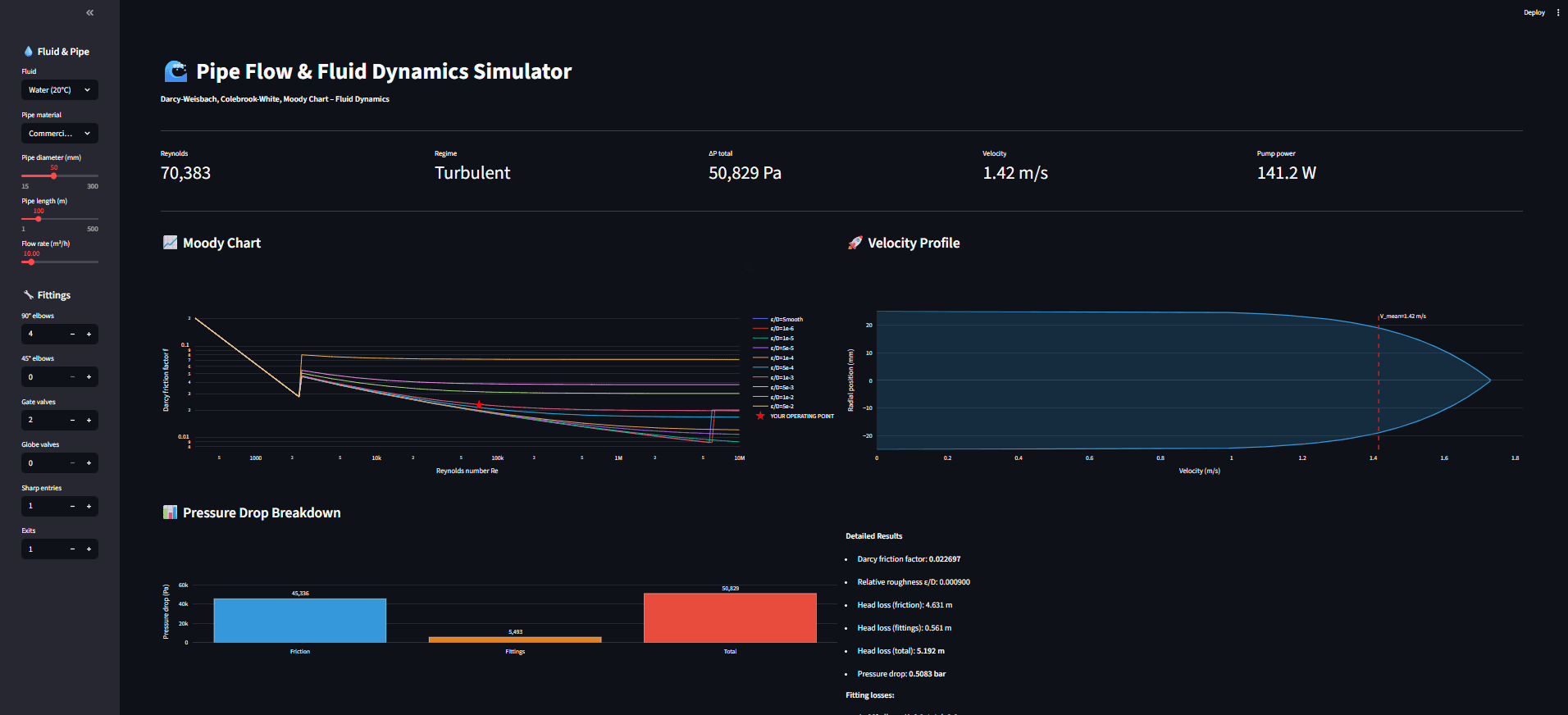
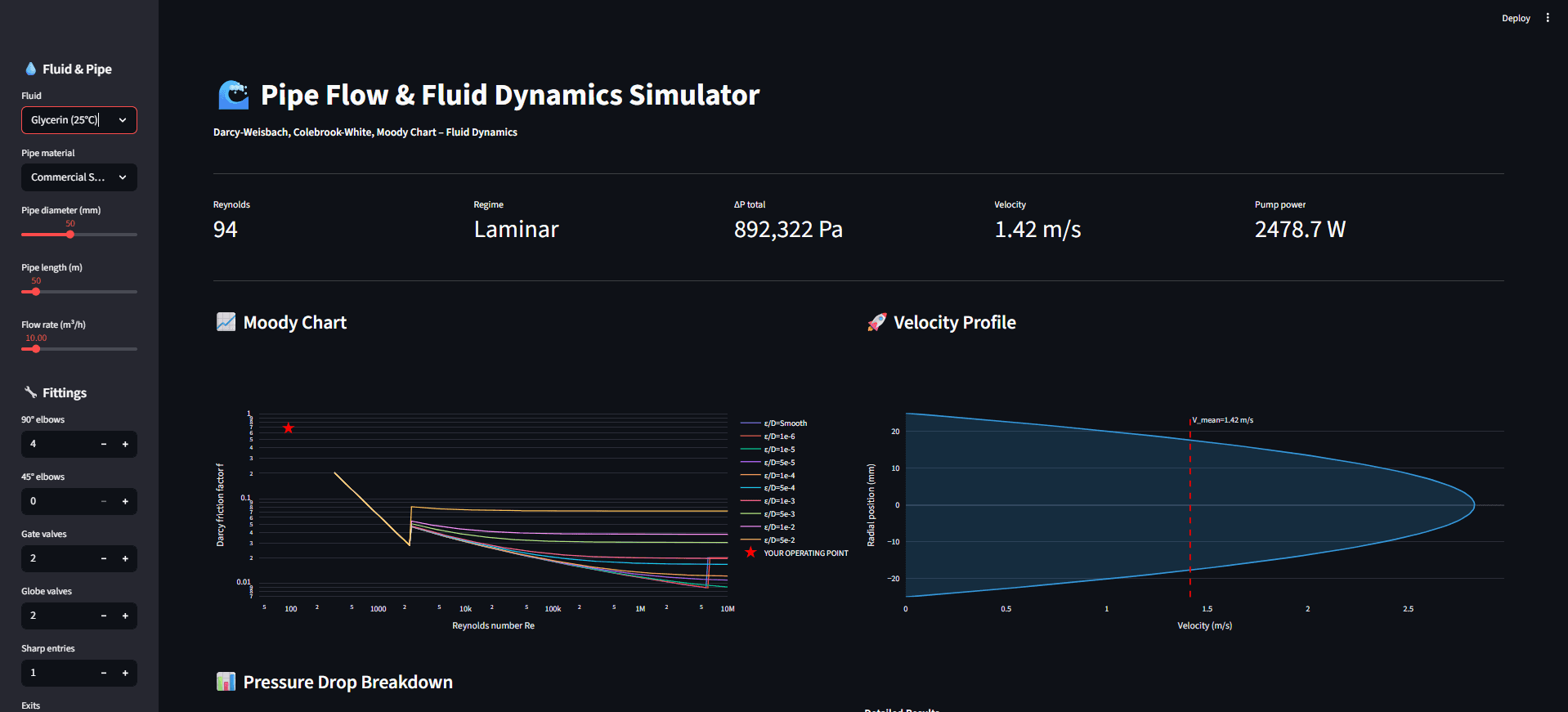
Users choose fluid, pipe material, diameter, length, flow rate, and common fittings (elbows, valves, entrance/exit). The app instantly updates:
KPI cards (Re, regime, ΔP, velocity, pump power)
Moody chart (roughness curves + your operating point)
Velocity profile (laminar parabolic vs turbulent flatter profile)
Pressure drop breakdown (friction vs fittings vs total)
What It Does (Key Features)
Darcy–Weisbach pressure drop with major + minor losses (fittings via K-values).
Colebrook–White implicit solver for friction factor (and laminar shortcut).
Moody chart generator across Reynolds numbers and relative roughness curves, plus a highlighted operating point.
Velocity profile visualization across the pipe radius (laminar vs turbulent behavior).
Multi-fluid & multi-material presets (e.g., water at 20°C/80°C, air, engine oil, glycerin; steel/PVC/copper, etc.).
Example Scenarios / Validation (great for portfolio credibility)
1) Baseline turbulent case (water @ 20°C, commercial steel)
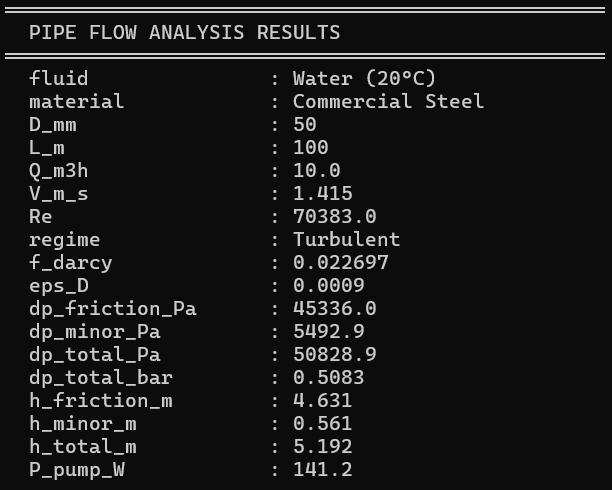
Example run shows Re ≈ 70,383 (turbulent), f ≈ 0.0227, and ΔP ≈ 50,829 Pa with pump power around 141 W (with fittings contributing a smaller portion vs friction).
2) High-viscosity laminar case (glycerin @ 25°C)
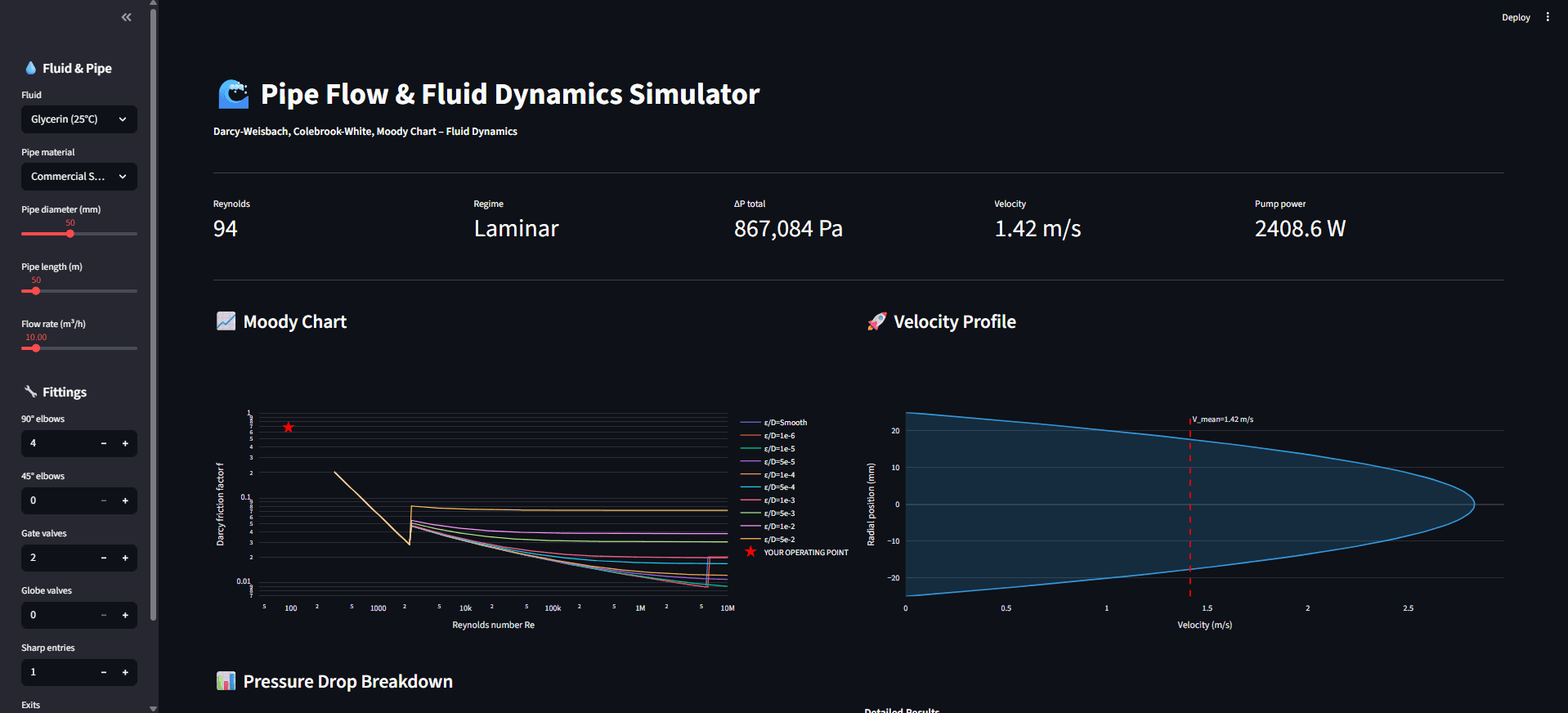
Switching to glycerin drops the Reynolds number into laminar flow (e.g., Re ≈ 94), and the app shows a parabolic velocity profile and a much larger pressure drop/pump power demand.
3) Diameter sensitivity (same fluid/flow, larger diameter)
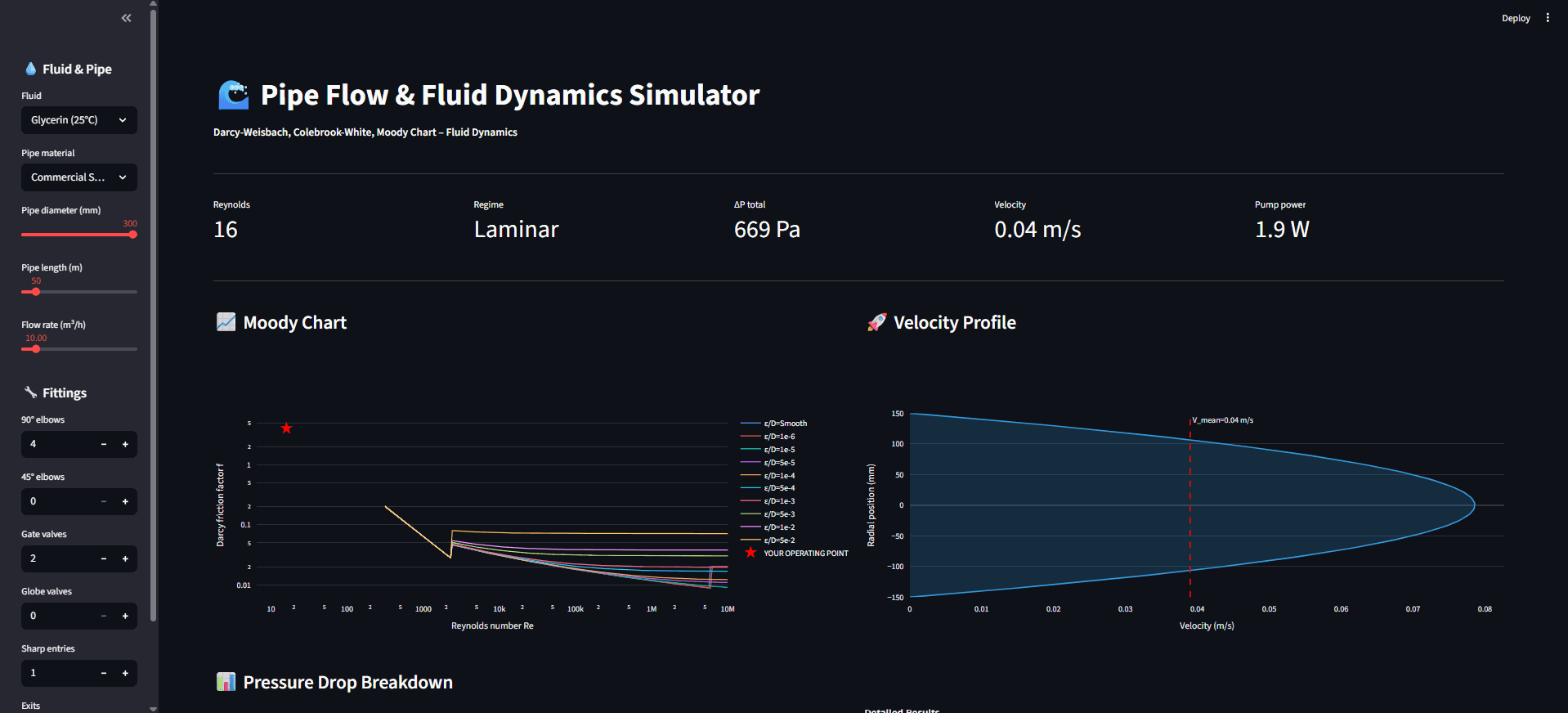
Increasing diameter dramatically reduces velocity, ΔP, and pump power (useful to illustrate design trade-offs).
4) Temperature effect (water @ 80°C)
Changing water temperature alters viscosity → shifts Reynolds number and friction behavior (your screenshot shows Re ≈ 193,676 and updated ΔP/power).
Live Demo
Note: If the screen says "This app has gone to sleep due to inactivity." please click on restart app.