Overview
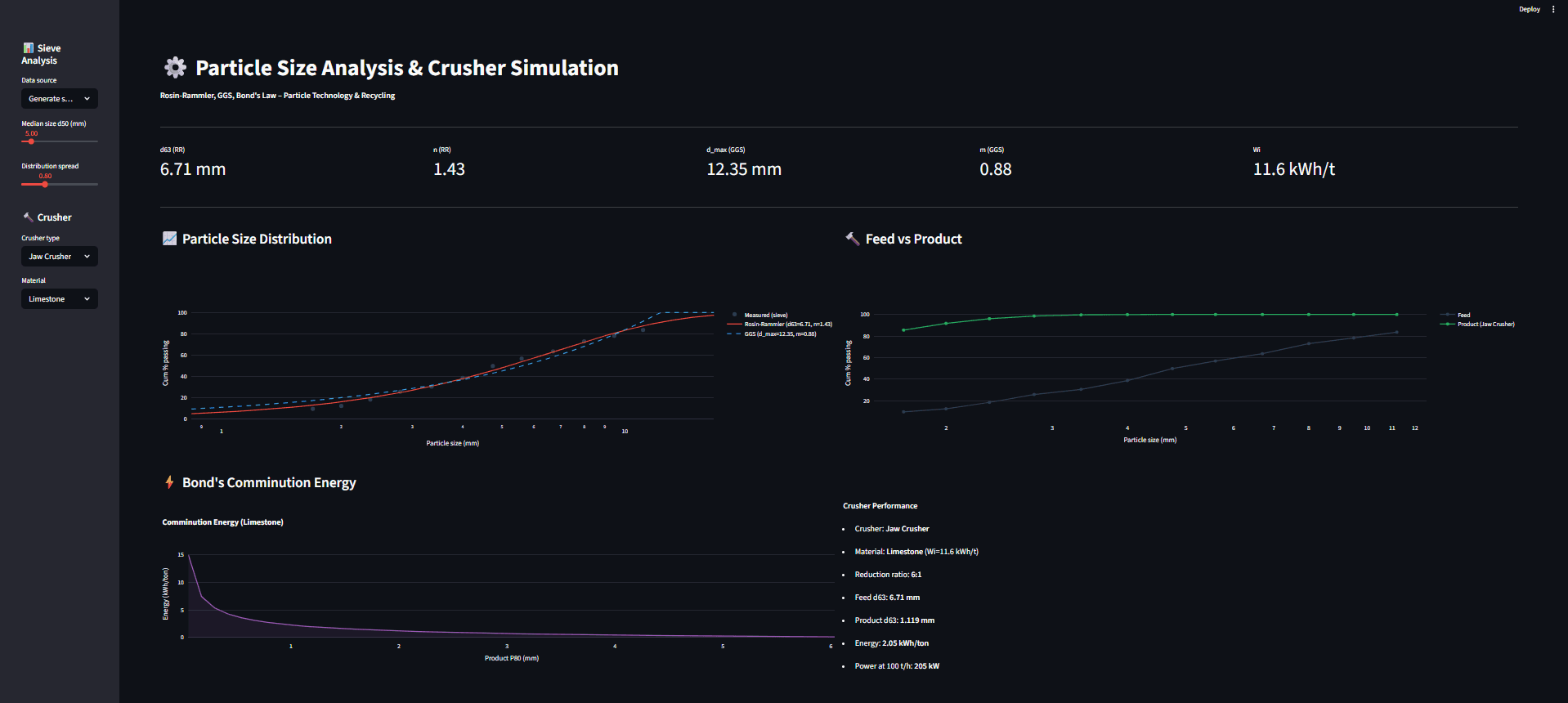
An interactive particle technology app that takes sieve analysis data (generated or manual) and fits two standard PSD models—Rosin–Rammler (Weibull) and Gates–Gaudin–Schuhmann (GGS). It then simulates comminution using jaw crusher, cone crusher, or ball mill and estimates energy demand using Bond’s Law (Work Index-based), including recycling-focused materials (e.g., E-waste (PCB)).
The Dashboard
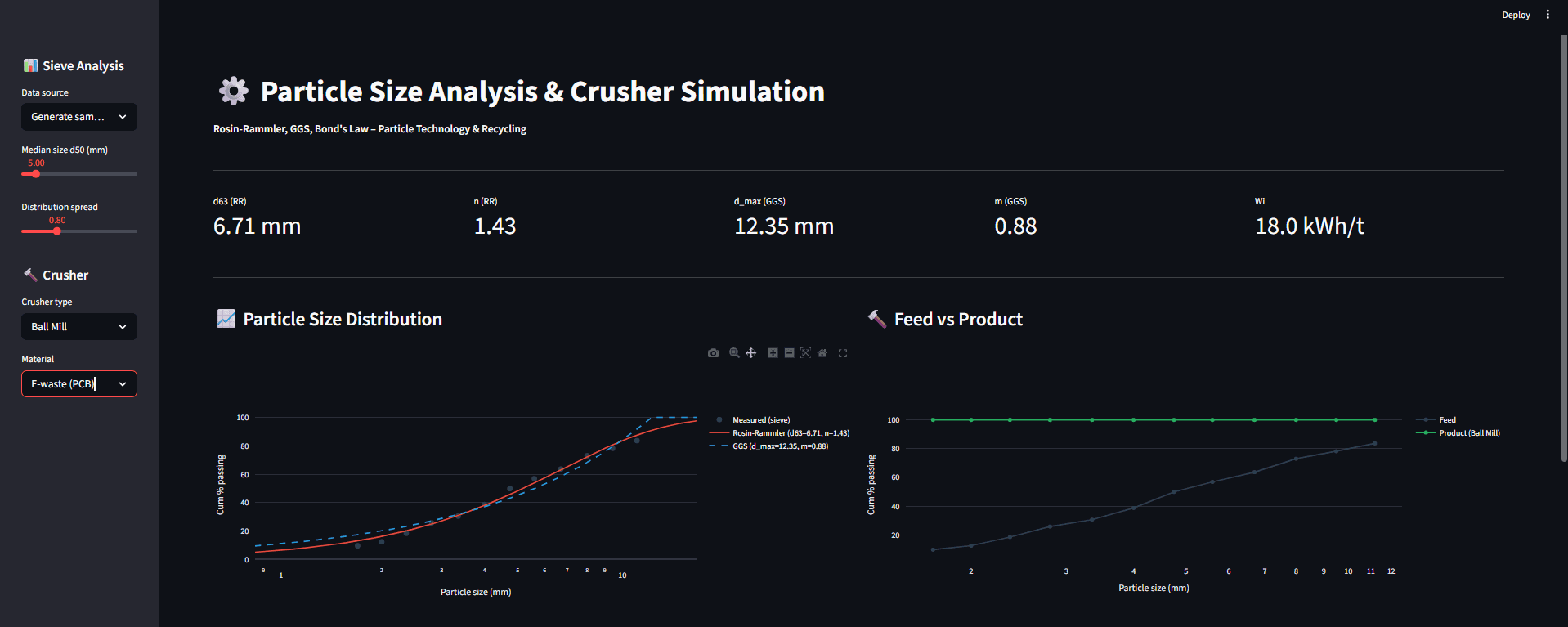
Inputs: data source (generate vs manual), median size/spread (for generated data), crusher type, CSS (jaw/cone), and material (Work Index).
Outputs: KPI cards for fitted parameters (d63, n, d_max, m) and Wi, plus three visuals:
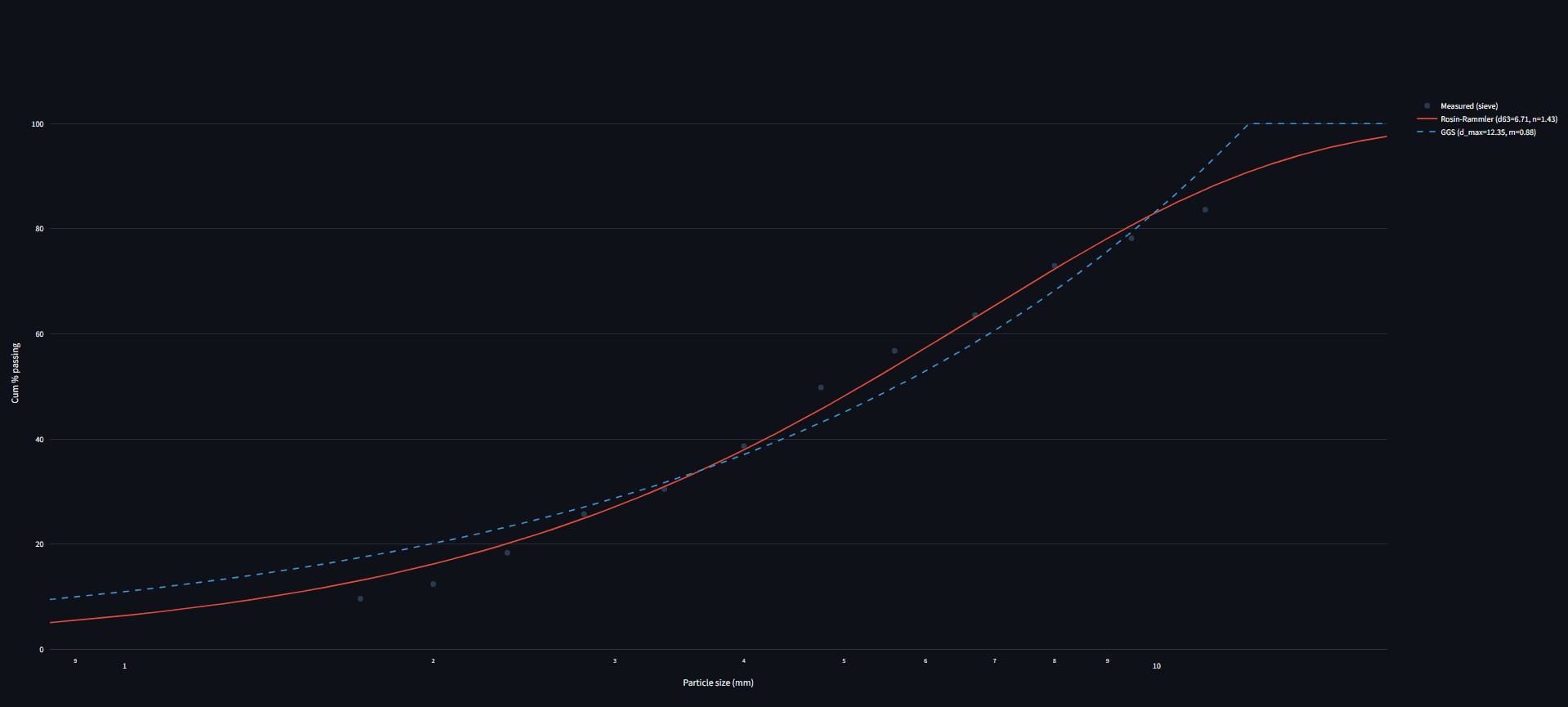
PSD curve with measured points + RR fit + GGS fit
Feed vs product PSD after crushing/grinding
Bond comminution energy vs product size, plus a performance summary (energy + power at throughput)
What It Does (Key Features)
PSD model fitting: Rosin–Rammler (d63, n) and GGS (d_max, m) fitted to sieve data.
Crusher simulation: compare feed vs product PSD for jaw / cone / ball mill with realistic shifts in characteristic size.
Bond’s Law energy: converts PSD change into kWh/ton and estimates power at 100 t/h using the selected material’s Work Index.
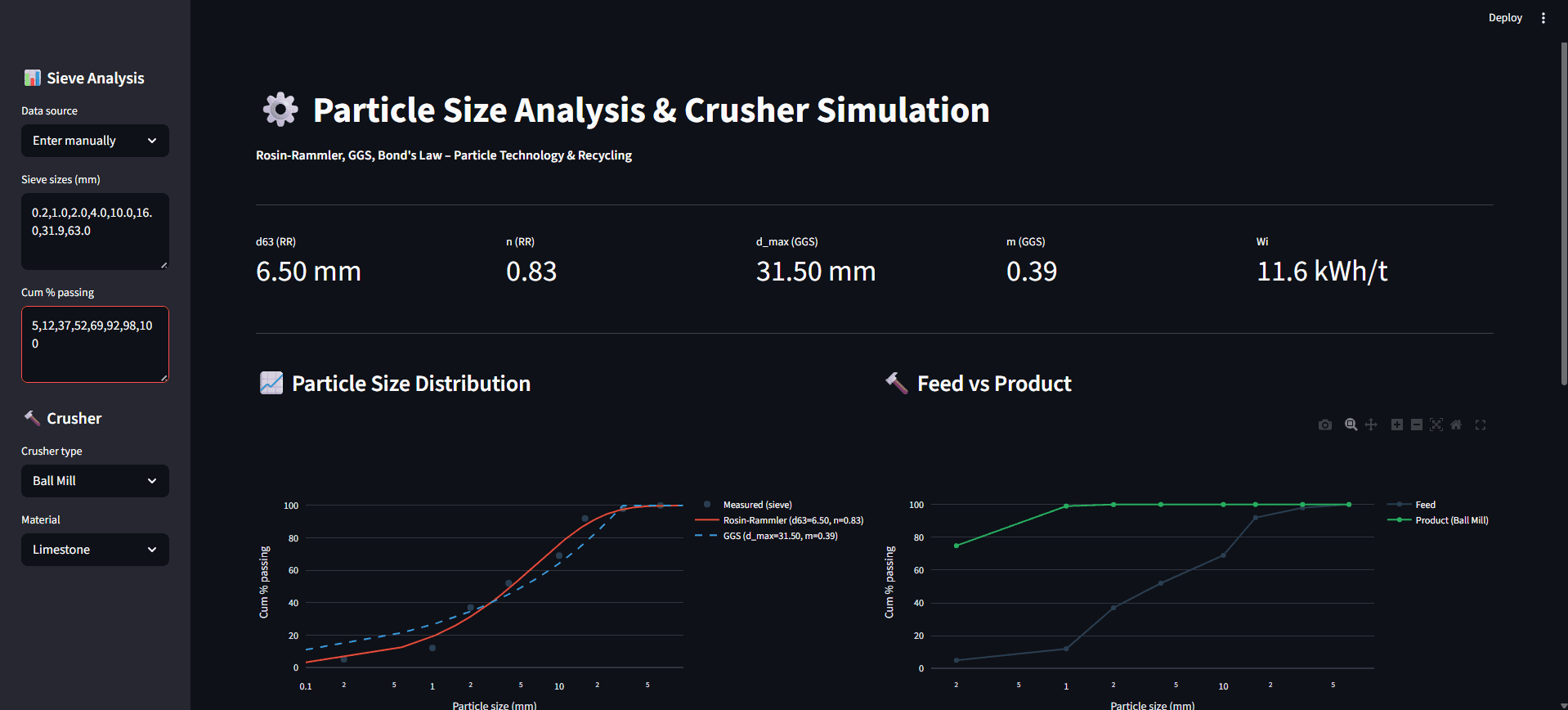
Manual data entry: paste sieve sizes + cumulative % passing to analyze real lab results.
Example Scenarios (great for portfolio credibility)
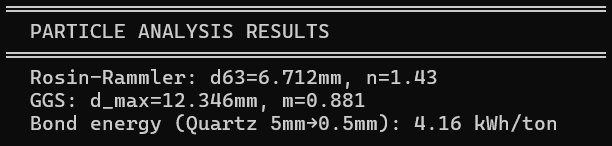
1) PSD fitting sanity check (terminal validation)
Shows fitted parameters and a Bond energy example run (e.g., d63 ≈ 6.712 mm, n ≈ 1.43; d_max ≈ 12.346 mm, m ≈ 0.881).
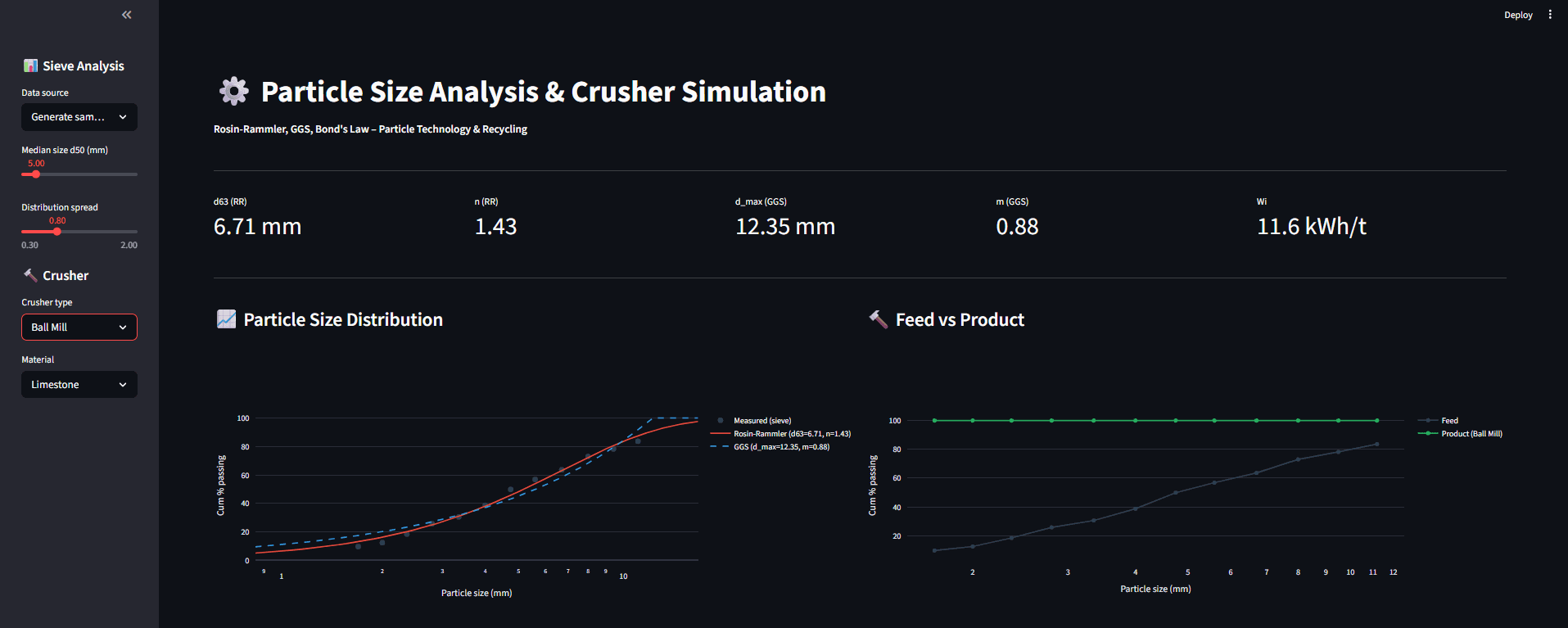
2) Jaw crusher vs Ball mill (product gets much finer)
Jaw crusher example: reduction around 6:1, product curve shifts left moderately.
Ball mill example: reduction around 50:1, product becomes significantly finer and energy demand increases.
3) Recycling focus: E-waste requires more energy
Selecting E-waste (PCB) increases Wi (e.g., 18.0 kWh/t), immediately raising predicted comminution energy compared to low-Wi materials.
4) Manual sieve data entry
Demonstrates the “Enter manually” mode for real sieve lab inputs (sizes + cumulative % passing) and updates fitted parameters and plots.
Live Demo
Open Tool
Note: If the screen says "This app has gone to sleep due to inactivity." please click on restart app.